


PixelDiary app iconPixelDiary logoYear in Pixels
PixelDiary logo

PixelDiary: Year in Pixels

A private Year in Pixels app for mood, habits and symptoms

Track mood, habits, symptoms, sleep, and notes on one clear year grid. Check in fast, keep your data private, and spot patterns over time on iPhone or Android.

Download on the App StoreGet it on Google Play
Private by designCustom trackingOffline-friendlyInsights over time
Person using PixelDiary in a calm home setting near a window, reflecting on the day with a phone in hand.
Calm daily check-in
PixelDiary app icon

Year in Pixels

See the shape of your year in one calm view

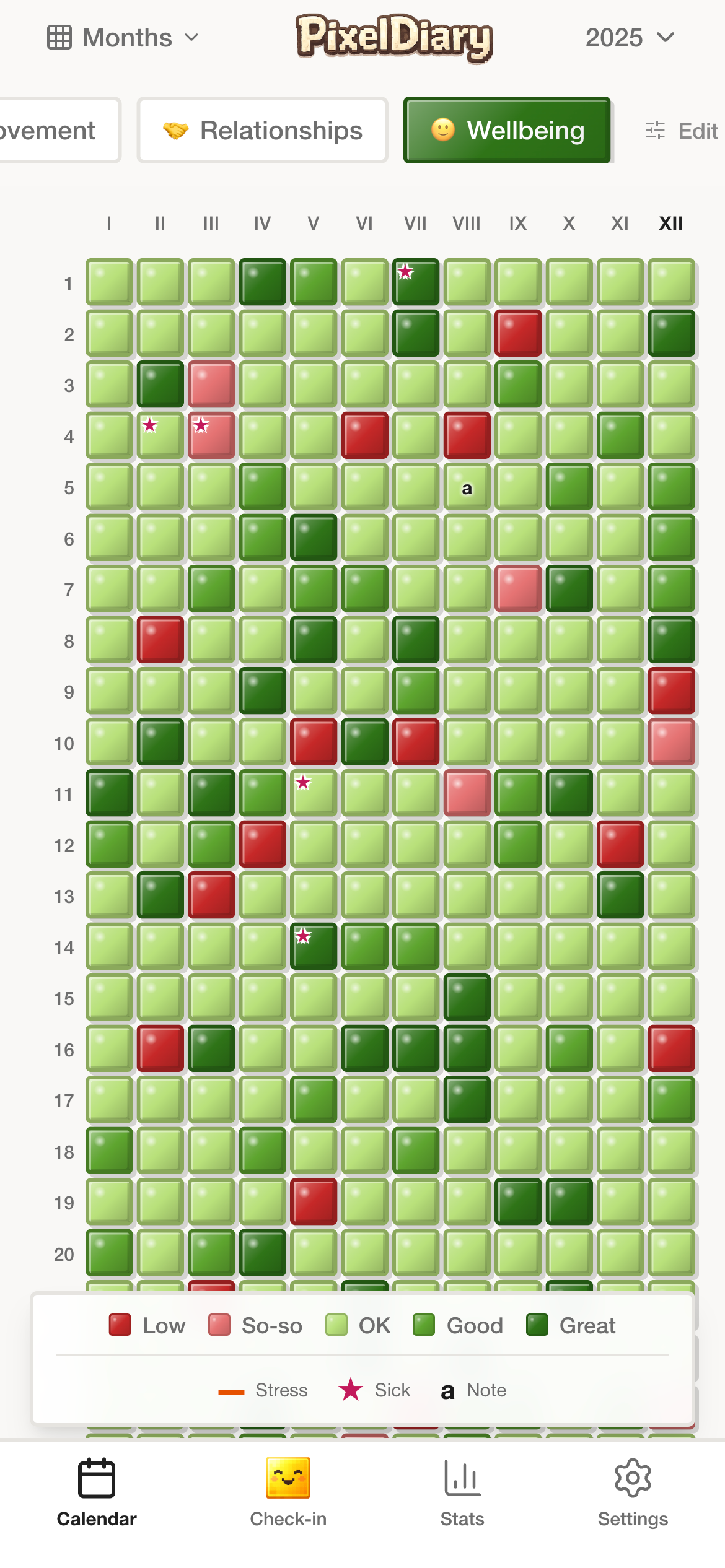
The main view stays easy to read: color-coded days, one clear legend, and enough signal to spot changes across the month at a glance.

Readable gridColor-coded daysMonthly context
PixelDiary wellbeing calendar view with color-coded day entries and a monthly legend.

In the app

See how PixelDiary works in practice

Explore flexible calendar views, the fast check-in flow, notes, and review screens that make PixelDiary useful over time.

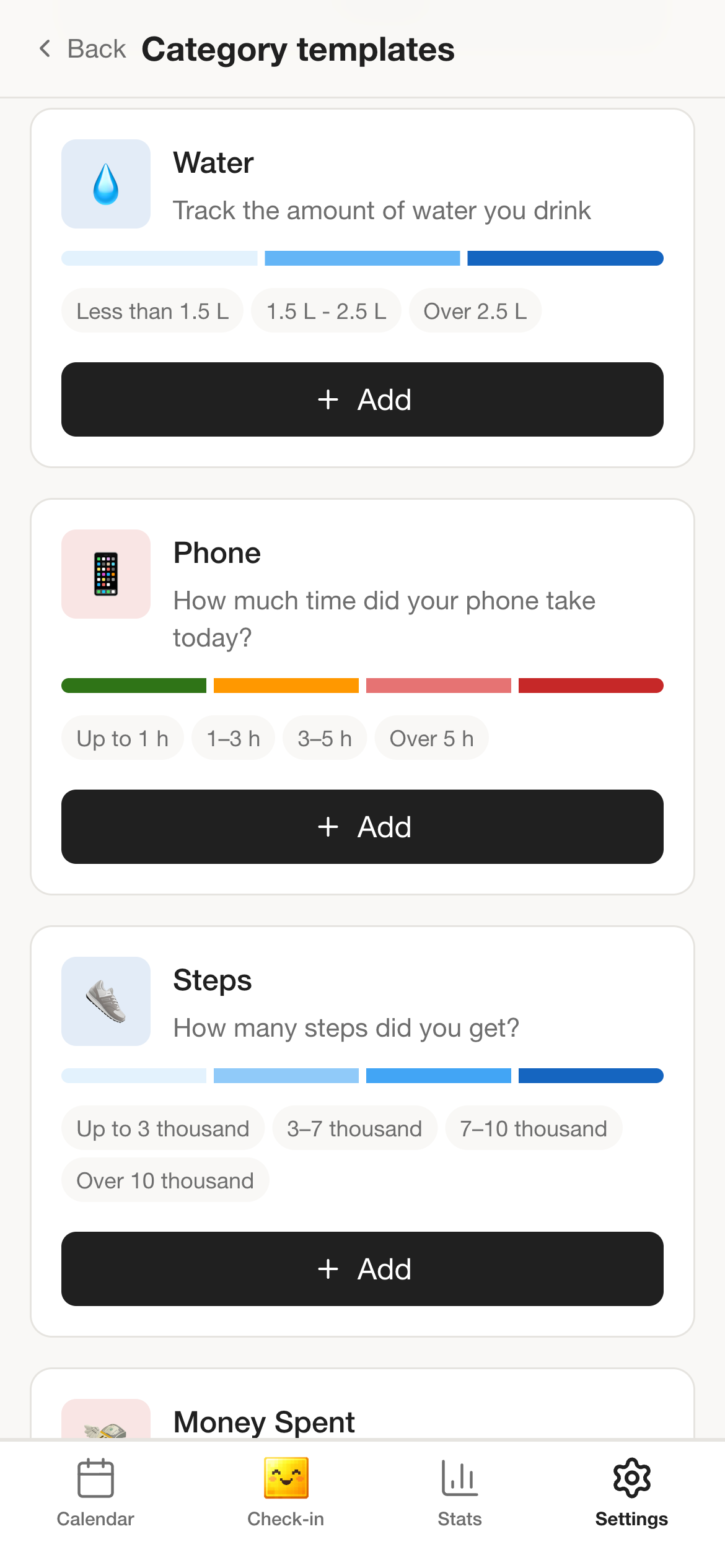
PixelDiary category editing screen with custom wellbeing values, colors, and modifiers.

In the app

Flexible setup instead of a one-size-fits-all tracker

Customize categories, values, colors, and modifiers so PixelDiary matches mood, habits, symptoms, notes, or your own mix.

Build a setup that fits your life instead of squeezing everything into one fixed tracker.

PixelDiary monthly calendar view showing sleep entries across several months.

In the app

Switch from a standard calendar to week view or a full-year grid

Change the calendar view based on what you want to notice: a familiar month layout for day-to-day context, a week view for short-term rhythm, or the full year grid for a bigger picture.

The same entries stay readable whether you want a close-up view or the shape of the whole year.

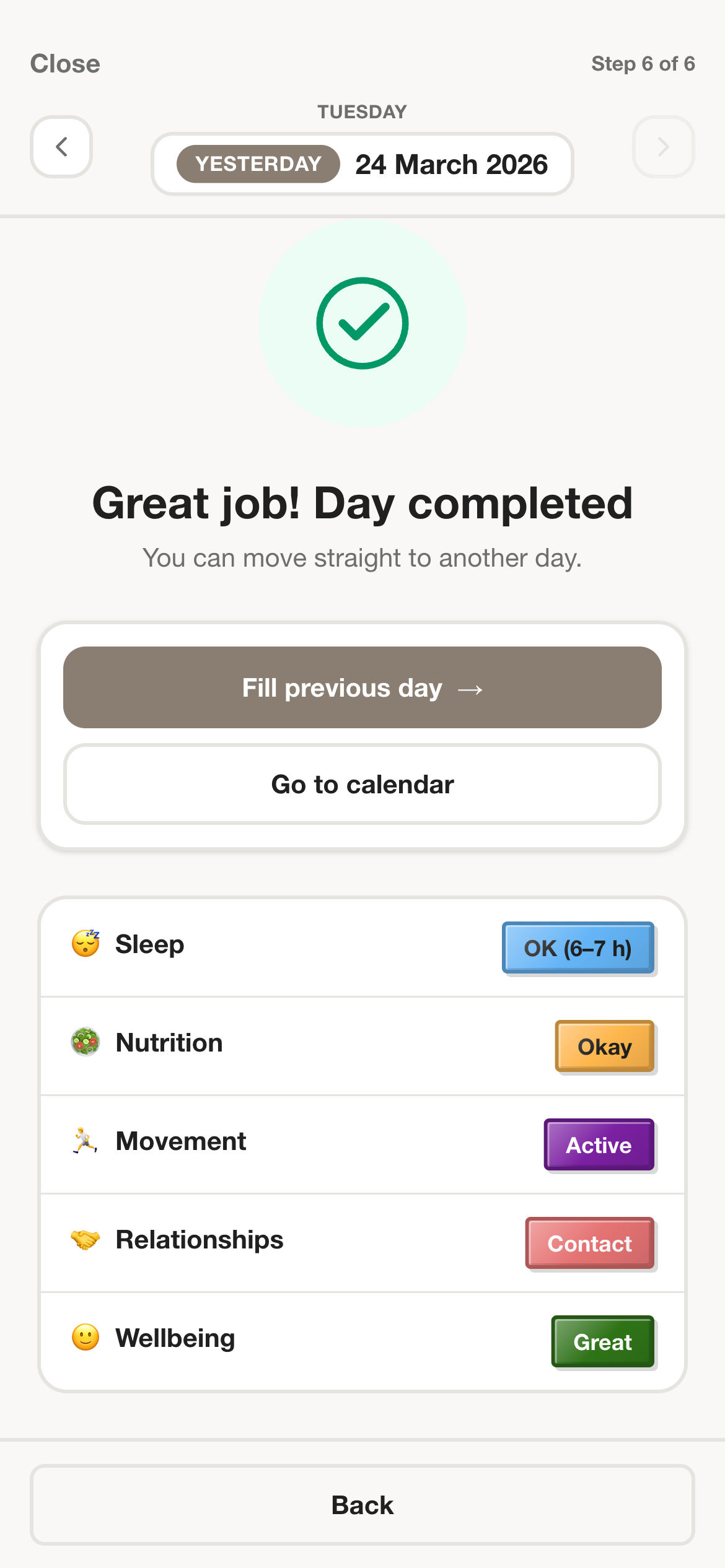
PixelDiary daily check-in completion screen showing tracked categories for the day.

In the app

Quick check-in and reminders

PixelDiary is designed for short daily actions. Add a value fast, keep reminders realistic, and return to your day.

Daily use should feel light enough to maintain for a whole year.

PixelDiary day entry with wellbeing values, modifiers, and a written note.

In the app

Notes and modifiers when context matters

A color shows the pattern. Notes and modifiers explain the day without turning every entry into heavy journaling.

The app stays light by default but supports richer context when you want it.

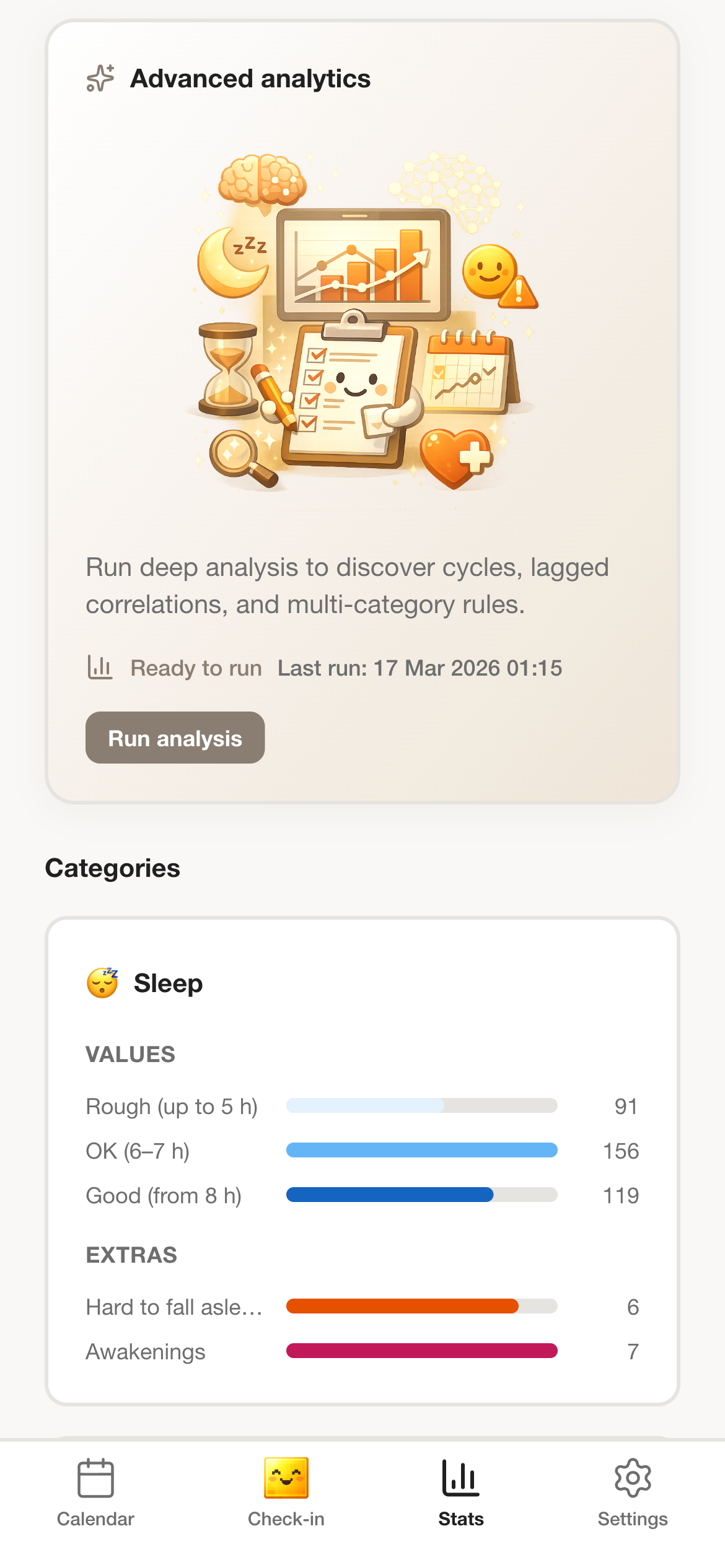
PixelDiary stats screen with advanced analytics and category summaries.

In the app

Insights over time

Visual summaries and stats help you spot trends in mood, habits, and symptoms without making analytics the whole product story.

Review patterns across categories without turning the app into a noisy dashboard.

Use cases

Choose the tracking flow that matches the reason you came

How it works

A simple flow that stays useful over a whole year

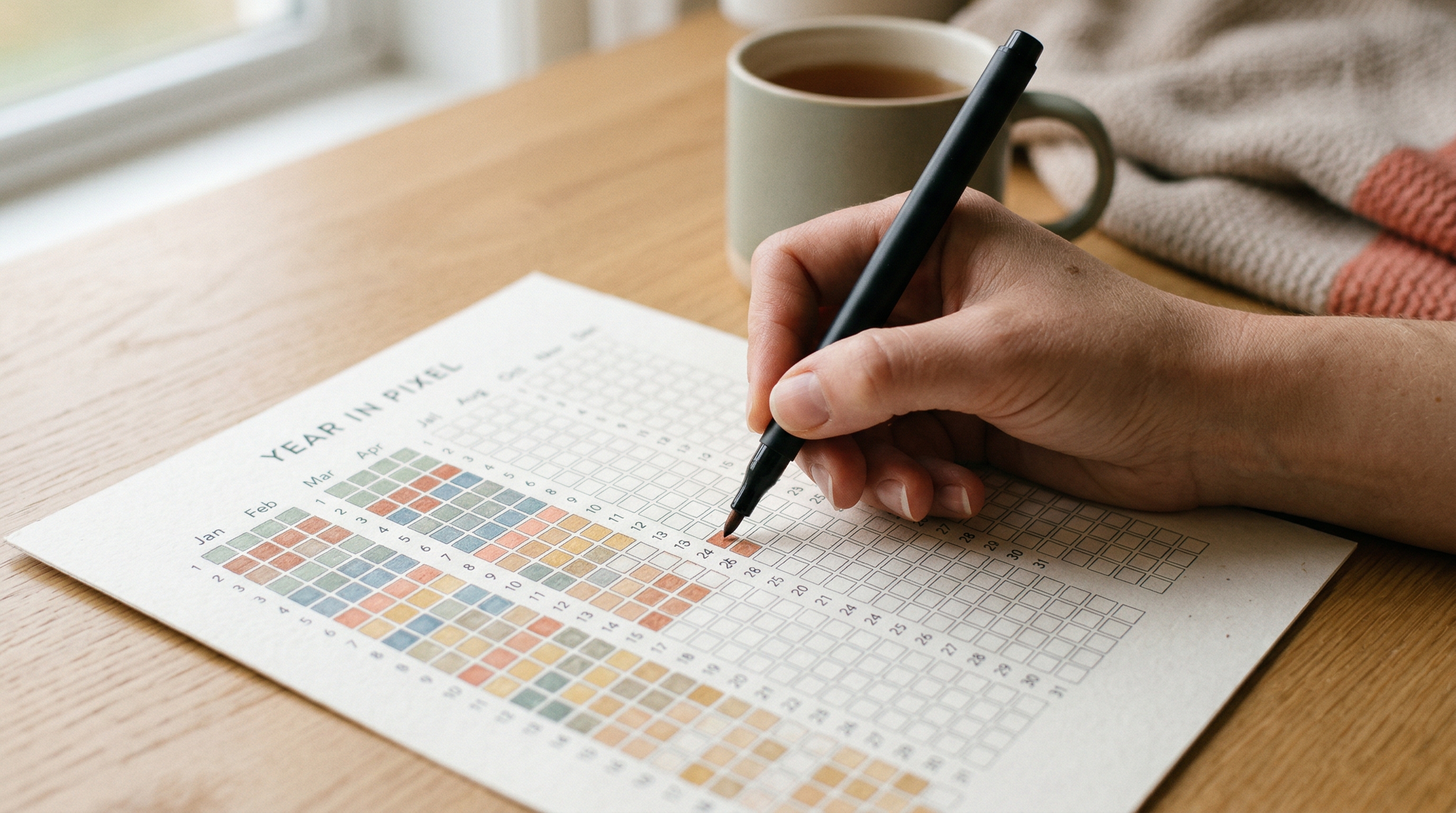
Close-up of a hand filling out a printed Year in Pixels sheet by hand on a wooden table beside a cup of tea.
Low-friction daily ritual

Daily flow

Small daily check-ins keep the whole system realistic

PixelDiary stays useful when the routine stays light. A fast daily check-in is what makes the year view meaningful later.

The method works best when the daily entry feels small enough to repeat, even on ordinary or busy days.

Step 1

Start with a setup that fits

Pick mood, habits, symptoms, sleep, notes, or a custom combination instead of squeezing your life into one generic tracker.

Step 2

Check in in seconds

Log the day with a quick value or color, then add notes or modifiers only when context actually matters.

Step 3

Review patterns over time

See your year on one visual grid, compare periods, and notice patterns without digging through streak charts or scattered entries.

Privacy and sync

A stronger trust story than most lightweight trackers

PixelDiary is not positioned as a public challenge app or an ad-driven productivity layer. It is a private tool for personal tracking. That difference matters when the data includes mood, symptoms, routines, or notes you do not want to treat casually.

The product is built around private-by-design use, encrypted entry payload storage on the server, offline-friendly tracking, and sync across devices when you sign in. Those are not side claims. They are part of why the app is believable for long-term personal use.

Private by design
Encrypted entry payload storage
Offline-first daily use
Sync across devices when signed in

FAQ

Questions people ask before downloading

What is a year in pixels app?

A year in pixels app shows each day as a small colored square, so your mood, habits, symptoms, or notes become one clear visual map of the year instead of a long list of entries.

Can I use PixelDiary as a mood tracker?

Yes. PixelDiary works well as a private mood tracker with daily scales, notes, and a year view that makes emotional patterns easier to review.

Does PixelDiary work offline?

Yes. PixelDiary is built for offline-friendly use, so you can keep tracking on your device and sync across devices when you sign in.

Is my data private?

Privacy is part of the product promise. PixelDiary is designed for personal tracking, encrypted entry payload storage on the server, and no advertising layer around your data.

Can I track symptoms and notes?

Yes. You can combine tracked values with notes and modifiers, which makes the app useful for symptoms, energy, sleep, habits, and more personal journaling use cases.

Download PixelDiary and start tracking your year visually

Install PixelDiary on iPhone or Android, start with a simple check-in, and turn small daily entries into a clearer picture of your year.

Download on the App StoreGet it on Google Play